 Maxie
MaxieThe shared baby tracker · Public beta
Two taps to log. Both of you in sync.
Feeds, nappies, sleep and growth, on both parents' phones about two seconds after either of you logs them. Free, with no subscription and no trial clock.
Android download today. iPhone through Expo Go now, TestFlight next.
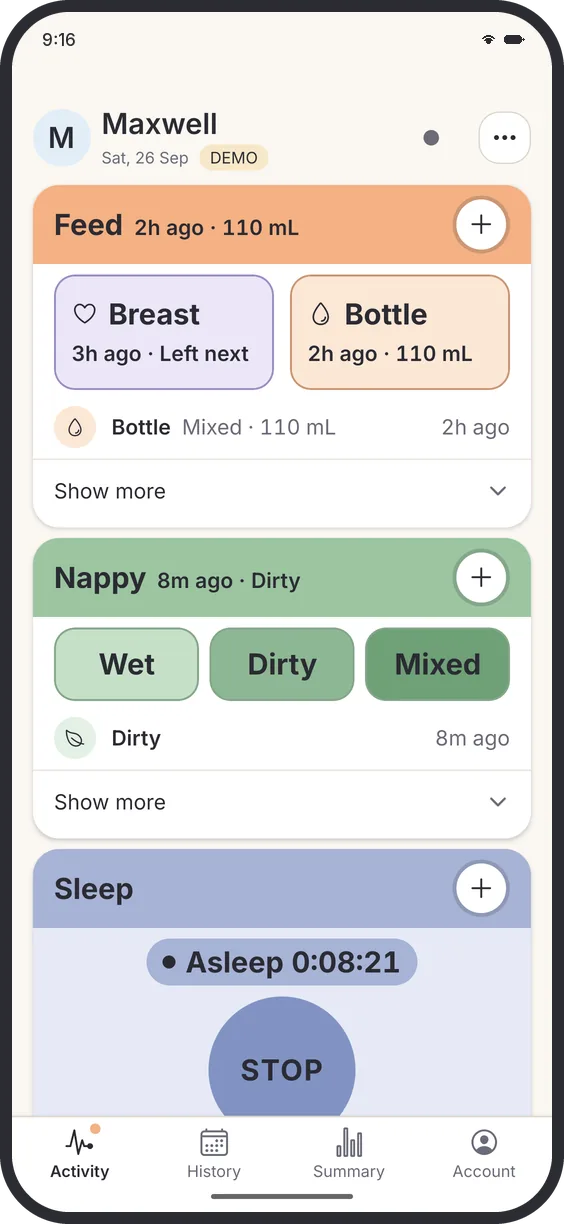
One tap for a nappy. Two for a feed.
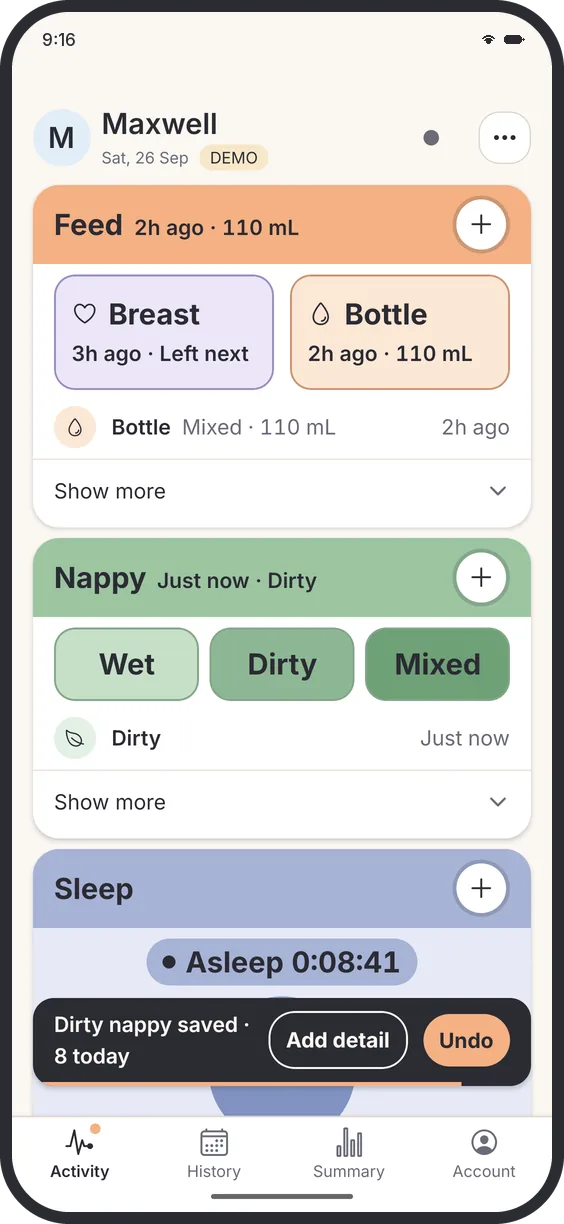
Everything you log at 3 am sits on the first screen. Tap Wet, Dirty or Mixed and it is saved at now. A bottle opens on last time's amount. If your thumb slips, Undo is right there.
- No forms and no confirm button
- Five-second undo on every save
- Add a detail from the same toast
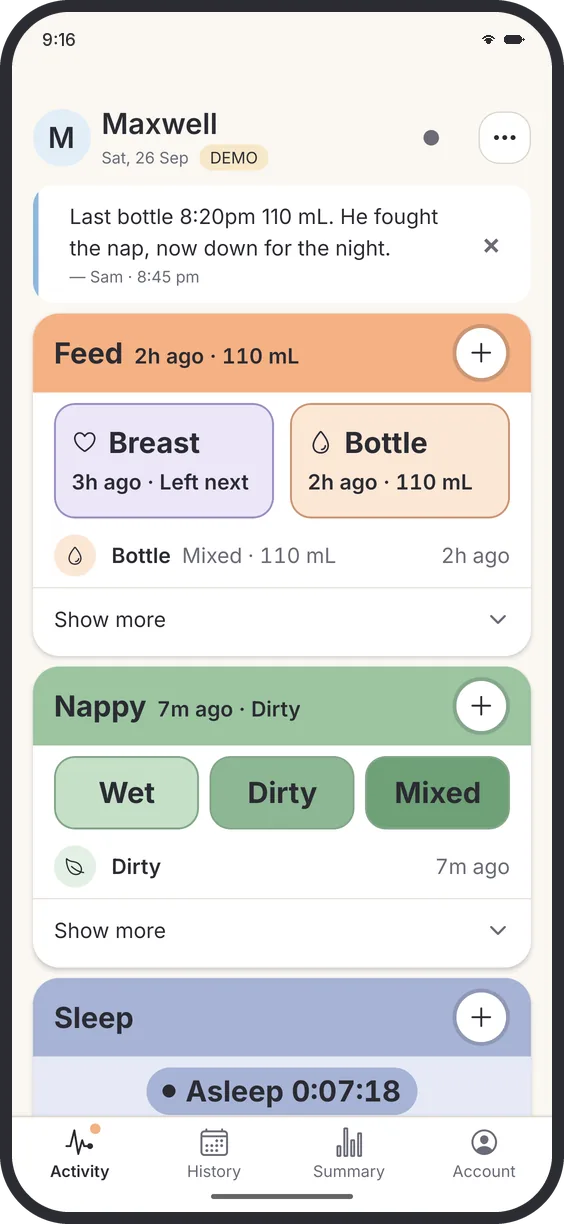
Log it once. Both phones know.
Your partner gets their own login, free, and sees every entry about two seconds after you save it, with who logged it. Leave a note at handover and it is waiting on the other phone.
- iPhone and Android in one household
- Grandparents and the nanny can join too
- Logs offline and catches up when signal returns
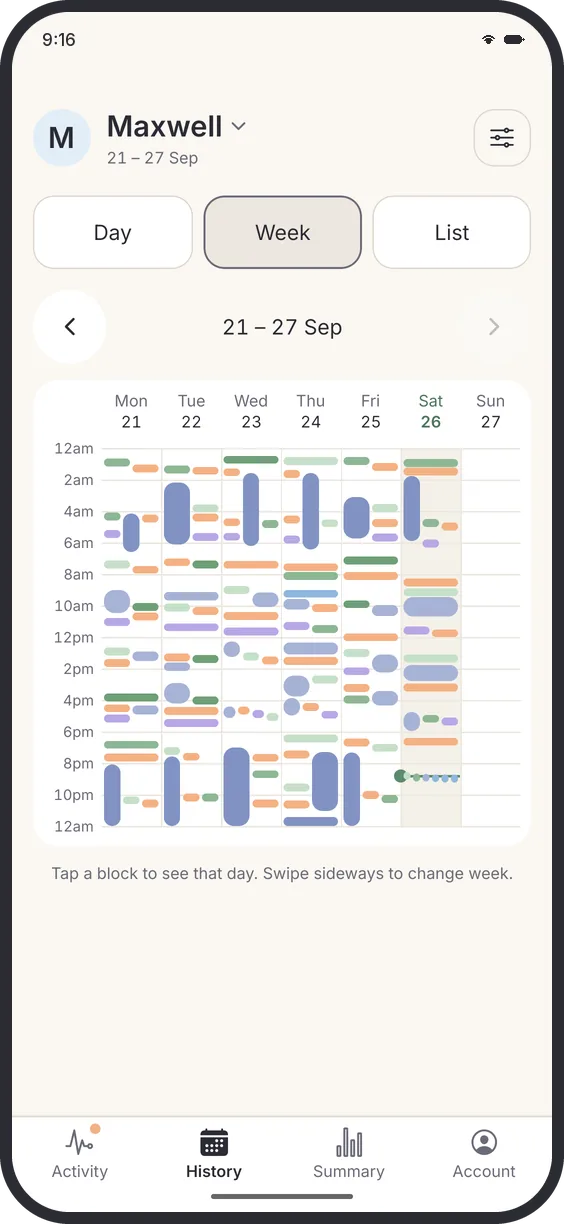
The day, the week, or every entry.
Day shows one day as a timeline. Week puts seven days side by side, so the pattern shows up without counting. List has every entry, with totals. Tap anything to fix it.
- Day, Week and List in one tab
- Swipe back through earlier weeks
- Every entry editable, by either of you
Walk into the nurse visit with the numbers.
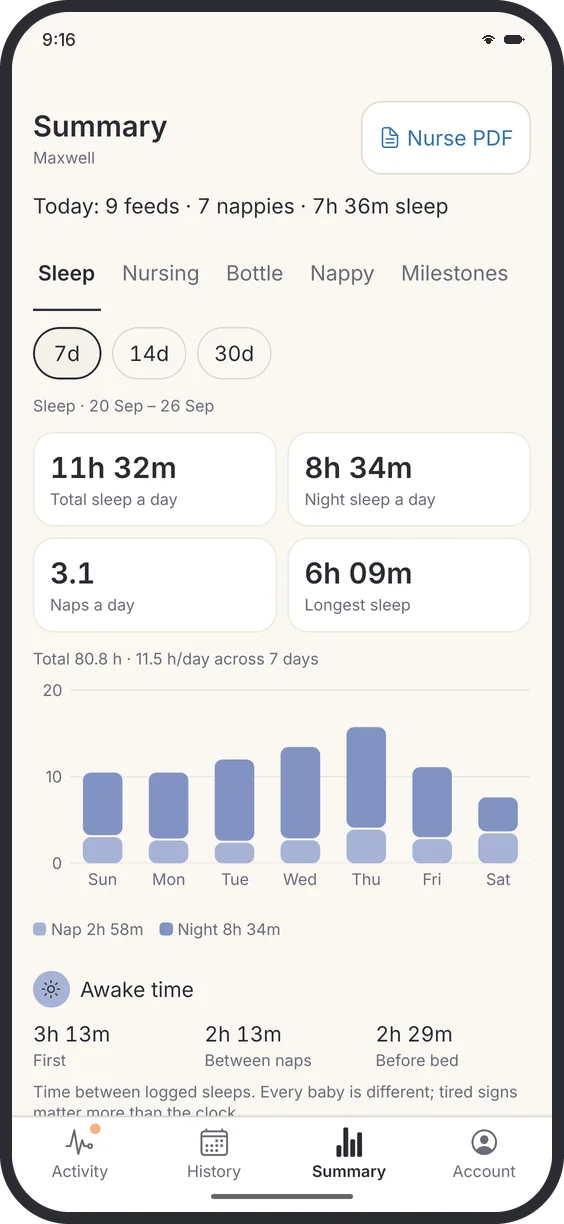
Summary gives today's totals and 7, 14 or 30-day averages for sleep, feeds and nappies, including awake time between naps. Growth plots weight, length and head on the WHO charts. Either screen shares a summary PDF for the nurse.
- Nurse PDF from the Summary tab
- WHO growth standards, 0 to 5 years
- A record to share, not a diagnosis
What the other apps charge for.
Checked on their own pages. Huckleberry's free plan is genuinely good for logging, so we say so.
| Feature | Maxie | Nara | Huckleberry |
|---|---|---|---|
| Share with partner | Free, own login each | In the paid plan | Free, same account on each phone |
| Full history | Free | Read-only after the 7-day trial | Free |
| Trends | Free | In the paid plan | Reports free; Insights in Plus |
| Wake windows | Awake-time averages, free | Not listed | SweetSpot predictions in Plus |
| Price | $0 | $9.99 a month or $99.99 lifetime | Free; Plus $5.74 or Premium $9.99 a month* |
Coming from another app?
Export your history before you go. Start logging in Maxie tonight, and bring the old entries across when import lands.
What parents ask first.
Is it really free? What is the catch?
Yes. Every feed, nappy, sleep, growth entry and chart, for every carer, with no trial and no card. We will never paywall the basics, and that promise is written into our Terms. The honest catch is that Maxie is young, so it does fewer things than the big apps. How Maxie stays free.
Can my partner use it on their own phone?
Yes, and that is the point. Add your partner free, with their own login. iPhone and Android mix fine in one household. Grandparents and the nanny can join too.
Does it work without signal?
Yes. Maxie saves to your phone first, so logging works in a hospital corridor or on a plane. Entries upload themselves when you are back online.
Where is my baby's data stored?
In Sydney, on Supabase's Australian region, encrypted in transit and at rest, plus a copy on your phone. It is never sold, there are no ads, and you can delete everything from inside the app. Privacy policy.
Is it on iPhone?
Not in the App Store yet. Today an iPhone runs the beta inside the free Expo Go app, and TestFlight follows once Apple clears it. Android is a direct download now. Both links are below.
Try it on tonight's feeds.
Leave your email and tell us which phones are in your house. We send the right link for each of you, and one email when the app stores open. No newsletter, and your address goes to nobody else.
Free either way, now and later.


Rather email? Write to hello@getmaxie.app with "beta" in the subject.
On Android? Install it now.
Download the APK. Your phone asks once to allow the install. How to install.

On iPhone? Use Expo Go for now.
Install the free Expo Go app from the App Store, then scan this code with the Camera, or open the link in Safari. TestFlight replaces it soon.